


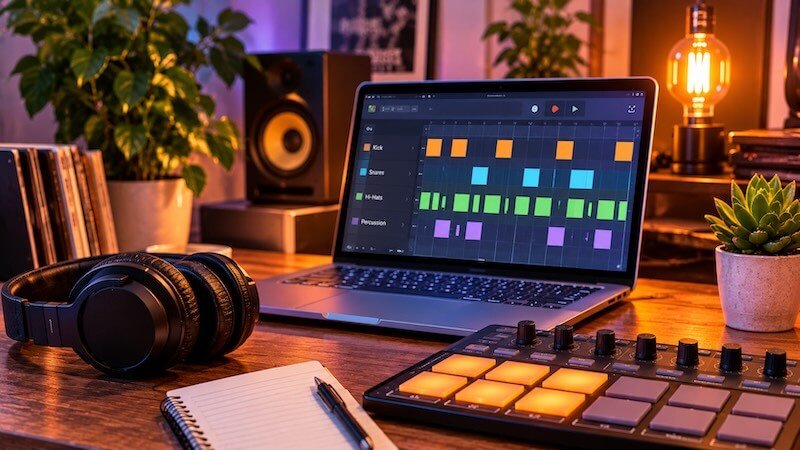
Lo-fi drums are one of the defining elements of lo-fi hip-hop, chillhop, and laid-back instrumental music. They often sound dusty, warm, slightly imperfect, and relaxed. Instead of the sharp, polished sound of modern pop or electronic music, lo-fi drums have character.
The good news is that you don’t need expensive equipment or a vintage drum machine to create them. With a DAW, a few drum samples, and some simple production techniques, you can turn ordinary drum sounds into something that feels like it came from an old record.
In this guide, we’ll look at how to program a basic lo-fi beat, choose the right drum sounds, add swing and human feel, and use effects to create those familiar vintage textures.
1. Start with a Simple Lo-Fi Drum Pattern
Before adding effects or processing, start with a solid rhythm. A common mistake is trying to make a beat interesting by adding too many sounds. Lo-fi often works best when the rhythm is simple and leaves plenty of space for other instruments.
A good starting point is a tempo between 70 and 90 BPM. Slower beats around 70–80 BPM can create a relaxed, sleepy atmosphere, while something closer to 90 BPM can feel more upbeat.
For your first pattern, use just three elements:
- Kick: Provides the low-end pulse.
- Snare or rimshot: Establishes the backbeat.
- Hi-hats: Add movement and rhythm.
A simple starting pattern in 4/4 time could look like this:
| Beat | 1 | 2 | 3 | 4 |
|---|---|---|---|---|
| Kick | X | X | ||
| Snare | X | X | ||
| Closed hi-hat | X | X | X | X |
This is only a starting point. You can move kicks, add extra snare hits, or remove hi-hats to create different grooves.
The goal is to build a rhythm that feels natural rather than overly busy.
2. Choose the Right Drum Samples
The drum sounds you choose have a huge impact on the final result. You can use modern drum samples, but some sounds work particularly well for lo-fi production.
Kick drums
Look for kicks with a soft attack and a rounded low end. Very punchy, aggressive kicks can work, but they may need some processing to fit a relaxed lo-fi beat.
Try:
- Soft acoustic kick drums.
- Vintage drum machine kicks.
- Muted electronic kicks.
- Dusty or sampled kick sounds.
Snares and rimshots
The snare is often the most recognizable part of a lo-fi beat. Instead of a bright, aggressive snare, look for something with a softer attack and a slightly grainy character.
Good choices include:
- Old-school drum machine snares.
- Acoustic snare samples with a short decay.
- Rimshots and cross-stick sounds.
- Layered snare and clap combinations.
A little room sound or reverb can help make a dry snare feel more natural.
Hi-hats and cymbals
Hi-hats provide movement, but they don’t need to be loud or bright. Try softer closed hats, brushed cymbals, shakers, or lightly filtered percussion.
You can also use vinyl crackle, tape noise, or subtle background textures to add atmosphere. These should support the rhythm rather than compete with it.
Tip: Don’t worry too much about finding the perfect vintage sample. A basic drum sound can become much more interesting through timing, velocity, filtering, and effects.
3. Add Swing and Human Feel
One of the biggest differences between a rigid electronic beat and a relaxed lo-fi groove is timing.
When every drum hit is perfectly quantized, the result can sound mechanical. Lo-fi beats often use small timing variations to create a more human feel.
What is swing?
Swing changes the spacing between notes. Instead of dividing every beat into perfectly even subdivisions, it delays certain offbeat notes.
This creates the familiar bouncing feel found in many hip-hop, jazz, and funk rhythms.
Most DAWs have a swing or groove function. Try starting with a moderate swing setting, around 55–60%, if your DAW uses a percentage-based 50% straight / swing scale. The exact result depends on the DAW and note division.
You can also experiment with:
- 1/8-note swing for a subtle groove.
- 1/16-note swing for more detailed hi-hat movement.
- Groove templates taken from sampled or recorded performances.
Don’t apply swing blindly to every instrument. Sometimes the kick and snare should stay relatively steady while the hi-hats carry most of the rhythmic movement.
Use velocity variation
Velocity controls how hard a MIDI note is played. If every hi-hat hit has exactly the same velocity, it can sound artificial.
Try alternating stronger and softer hits. You can also make occasional notes much quieter to create a more natural performance.
For example:
- Main hi-hat hits: medium velocity.
- Offbeat hits: slightly quieter.
- Occasional accents: stronger velocity.
- Ghost notes: very quiet.
Small changes are usually enough. The aim is variation, not randomness.
4. Use Ghost Notes to Create a More Natural Groove
Ghost notes are quiet drum hits that add movement without becoming the main focus of the rhythm.
In lo-fi beats, quiet snare hits between the main backbeats can make a simple pattern feel much more alive.
Try adding a few low-velocity snare hits just before or after the main snare. You can also experiment with quiet kick notes and extra hi-hat hits.
Ghost notes are particularly useful when your beat feels too empty or repetitive.
The key is to keep them subtle. If you can hear every ghost note clearly, they may be too loud.
5. Make Your Drums Sound Vintage with Saturation
Saturation is one of the most useful effects for creating a vintage drum sound.
It adds harmonic content and can make digital samples feel warmer, thicker, and less sterile. Depending on the plugin, it can also introduce subtle compression and distortion.
Try applying saturation to:
- The kick for extra weight.
- The snare for more body and character.
- The drum bus to bring the whole kit together.
Tape saturation is especially useful for lo-fi production. It can soften sharp transients and add a slightly compressed, rounded sound.
Start with a small amount. Heavy saturation can quickly make the drums muddy or distorted.
6. Use EQ to Create a Dusty Sound
Modern drum samples are often bright and detailed. Lo-fi production frequently uses filtering to reduce some of that clarity.
An EQ gives you control over the frequency content of your drums.
A few useful starting points:
- Hi-hats: Reduce some of the high-frequency brightness.
- Snare: Experiment with reducing harsh upper frequencies.
- Kick: Remove unnecessary low-mid buildup while keeping the fundamental low end.
- Drum bus: Apply gentle filtering to shape the overall tone.
You can also use a low-pass filter to create a more muffled, old-record character.
However, don’t remove all the high frequencies. If every drum sound is dark, the beat can lose its definition. Keep enough clarity for the rhythm to remain interesting.
7. Add Vinyl Noise, Texture, and Imperfection
A little background noise can make a beat feel more atmospheric.
Popular textures include:
- Vinyl crackle.
- Tape hiss.
- Record surface noise.
- Dusty room ambience.
- Subtle static.
You can add these as audio samples on a separate track and mix them quietly underneath the drums.
Try filtering the noise so it doesn’t interfere with the kick and bass. You can also automate its volume to make it more noticeable during quieter sections.
Remember that vinyl noise is a creative effect, not a requirement. A good lo-fi beat doesn’t need to sound like a damaged record.
8. Use Reverb and Delay Carefully
Reverb and delay can give your drums more depth, but too much can make a beat sound washed out.
For a classic lo-fi sound, try a short room reverb on the snare or rimshot. A little ambience can make a dry sample feel more natural.
You can also experiment with:
- Short plate reverb on the snare.
- Subtle tape delay on percussion.
- Small amounts of room ambience.
- Filtered delay effects on occasional drum fills.
A useful technique is to put reverb on a send or auxiliary track instead of inserting it directly on every drum channel. This gives you more control over how much of each sound enters the effect.
9. Create Variation Instead of Repeating the Same Loop
A four-bar loop can sound good on its own, but repeating it unchanged for an entire track can become boring.
Small variations make a big difference.
Try:
- Removing the kick for one bar.
- Adding an extra snare hit at the end of a phrase.
- Changing the hi-hat velocity.
- Introducing a short percussion fill.
- Muting the drums before a new section.
- Using a different pattern for the second half of the track.
You don’t need a completely new drum pattern every few bars. Often, one or two small changes are enough.
10. Build a Complete Lo-Fi Drum Beat
Let’s put the techniques together.
For a simple starting project, try these settings:
| Element | Starting point |
|---|---|
| Tempo | 78 BPM |
| Time signature | 4/4 |
| Kick | Soft, rounded sample |
| Snare | Dusty acoustic or vintage drum machine |
| Hi-hats | Soft closed hats |
| Swing | Moderate |
| Velocity | Varied |
| Saturation | Gentle tape-style |
| EQ | Slightly reduced high-end |
| Reverb | Short room or plate |
| Texture | Very quiet vinyl noise |
Start with a basic kick and snare pattern. Add hi-hats, then adjust the timing and velocity until the groove feels right. Once the rhythm works, use saturation, EQ, and reverb to shape the sound.
Finally, add subtle background texture and introduce small variations throughout the arrangement.
The important thing is to work in stages. Get the rhythm right before spending too much time on effects.
Final Thoughts
Good lo-fi drums aren’t necessarily complicated. A simple pattern, carefully chosen samples, subtle timing variations, and a little saturation can go a long way.
Don’t focus too much on making everything sound old or imperfect. The best lo-fi beats balance warmth and character with a rhythm that still feels good to listen to.
Experiment with different drum machines, acoustic samples, swing settings, and effects. Over time, you’ll develop a sound that feels like your own.
At Uniqtone, we’re interested in the creative tools and sounds that help producers develop their own musical identity. Whether you’re working with a laptop, a MIDI controller, a compact synth, or a guitar, the most important part is experimenting and finding your own sound.

