


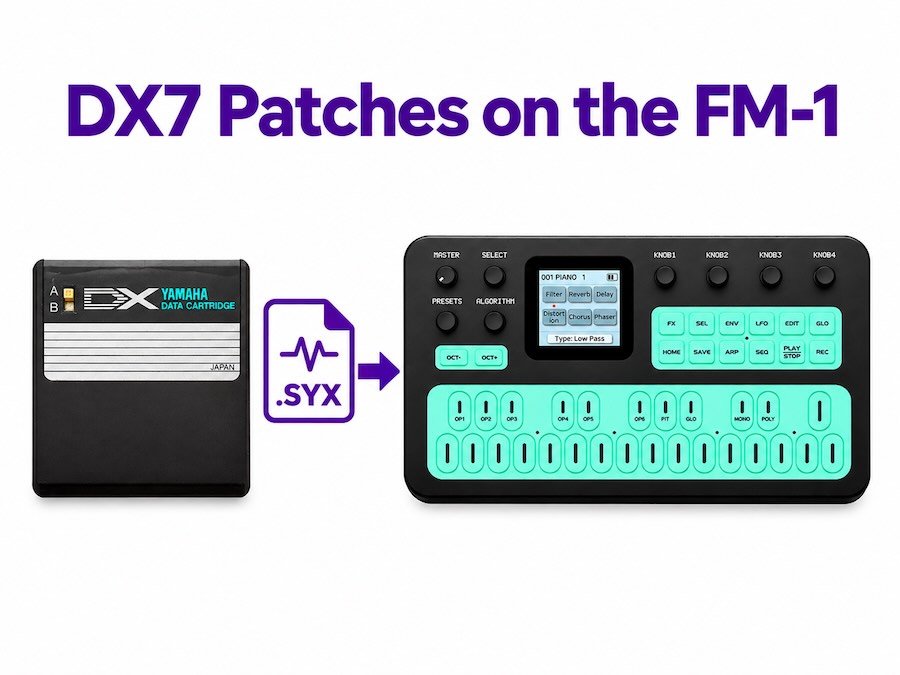
How to Load Free DX7 Patches onto the M-VAVE FM-1 (Complete .SYX Guide)
One of the most interesting features of the M-VAVE FM-1 is its ability to work with compatible Yamaha DX7 FM sound banks.
This means you’re not limited to the 128 factory presets that come with the synthesizer. You can explore a much larger world of classic FM sounds, including vintage electric pianos, digital basses, bells, synth leads and atmospheric textures.
Even better, there are thousands of DX7 sound patches available online, many of them completely free.
If you’ve recently purchased an FM-1 synth and want to experiment with new sounds, this guide will show you what DX7 patches are, where to find them and how to load compatible .SYX files onto your instrument.
We’ll also look at some ideas for building your own sound collection for lo-fi, ambient, hip-hop and synthwave production.
What Are Yamaha DX7 Patches?
Before loading new sounds, it helps to understand what you’re actually working with.
The Yamaha DX7 was a legendary digital synthesizer introduced in 1983. It became famous for its distinctive electric piano sounds, metallic bells, digital basses and complex synthetic textures.
Unlike traditional analog synthesizers, the DX7 uses frequency modulation (FM) synthesis.
Its sound engine uses six operators that interact through different configurations called algorithms.
A patch is essentially a collection of synthesizer settings that defines a particular sound.
It contains information such as:
- Operator frequencies.
- Operator output levels.
- Envelope settings.
- Modulation relationships.
- Algorithm selection.
- Other synthesis parameters.
A Yamaha DX7 SysEx file stores this information in a format that compatible synthesizers and software can understand.
The most common file extension you’ll encounter is .syx.
The M-VAVE FM-1 supports compatible FM SysEx banks, making it possible to explore sounds originally created for the DX7.
What Is a .SYX File?
SYX stands for System Exclusive, commonly abbreviated as SysEx.
It is a type of MIDI data format used to transfer manufacturer-specific information between electronic musical instruments.
While standard MIDI notes tell a synthesizer which notes to play, SysEx messages can communicate more detailed information, including patches, sound banks and device settings.
For FM synthesizers, this makes SysEx particularly useful because it allows you to transfer complete sound programs instead of manually recreating every parameter.
A typical Yamaha DX7 bank contains 32 individual patches.
You can find thousands of these banks online, covering almost every style of electronic music.
Where Can You Find Free DX7 Patches?
There are several places to discover classic FM sounds.
1. DX7 Sound Banks
The original Yamaha DX7 has been around for decades, and many musicians have shared their sound banks online.
Search for:
- Free Yamaha DX7 patches.
- DX7 factory sound banks.
- DX7 electric piano patches.
- DX7 bass patches.
- DX7 synth pad banks.
- DX7 vintage sound collections.
Look for standard 32-voice DX7 SysEx banks when downloading files for the FM-1.
2. Dexed
One of the most useful tools for FM synthesizer enthusiasts is Dexed.
Dexed is a free, open-source FM synthesizer plugin inspired by the Yamaha DX7.
It can load and edit DX7-compatible patches, making it a useful companion for anyone working with the FM-1.
You can use Dexed to:
- Explore classic DX7 sounds.
- Load existing
.SYXbanks. - Edit individual operator settings.
- Create your own FM patches.
- Experiment with different algorithms.
Official website: https://asb2m10.github.io/dexed/
Dexed is especially useful if you want to understand how FM synthesis works rather than simply downloading ready-made presets.
3. Community Sound Libraries
You can also find FM sound libraries shared by synthesizer enthusiasts.
Communities such as Elektronauts and various synthesizer forums are useful places to discover new banks, discuss compatibility and find interesting sounds.
When downloading files, check that they are intended for a compatible six-operator FM synthesizer.
Not every .SYX file is a DX7-compatible patch bank.
How to Load DX7 .SYX Patches onto the M-VAVE FM-1
Now let’s get to the practical part.
The FM-1 supports compatible DX7-style SysEx banks, but you need a suitable way to transfer the files to the synthesizer.
One community-developed option is the FM-1 Patch Bank Utility, which uses Web MIDI to send compatible sound banks from your browser.
What You’ll Need
Before starting, prepare the following:
- M-VAVE FM-1 synthesizer.
- USB-C data cable.
- Computer running Windows, macOS or Linux.
- Google Chrome or Microsoft Edge.
- Compatible Yamaha DX7
.SYXsound bank. - FM-1 Patch Bank Utility.
Make sure you’re using a USB-C cable capable of data transfer, not just charging.
Step 1: Download a DX7 Sound Bank
Find a compatible Yamaha DX7 .SYX bank and save it somewhere easy to locate on your computer.
For your first attempt, I recommend using a standard 32-patch DX7 bank.
Avoid starting with large collections or unusual SysEx formats until you’ve confirmed that the transfer works.
Step 2: Connect the FM-1 to Your Computer
Connect your M-VAVE FM-1 to your computer using USB-C.
Turn on the synthesizer and allow your operating system to recognize it.
Make sure the FM-1 is running its original M-VAVE firmware if you’re following instructions for the standard stock-firmware workflow.
Step 3: Open the FM-1 Patch Bank Utility
Open the community-developed FM-1 Patch Bank Utility:
https://altstrument.org/firmware/m-vave-fm-1/fm1-patch-bank-utility
The utility runs in a compatible web browser and uses the Web MIDI API to communicate with MIDI devices.
Chrome and Edge are recommended.
Follow the instructions on the utility page to initialize Web MIDI and grant the browser permission to access MIDI SysEx.
Step 4: Select the FM-1 MIDI Port
After initializing Web MIDI, look for the available MIDI devices.
Select the M-VAVE FM-1 as the output device.
If the synthesizer does not appear:
- Check that the USB cable supports data transfer.
- Disconnect and reconnect the FM-1.
- Restart the browser.
- Check that your operating system recognizes the device.
- Make sure MIDI permissions have been granted.
Step 5: Load and Send Your .SYX File
Choose the DX7 .SYX file you downloaded earlier.
The utility checks basic SysEx file framing before transmitting the data.
Start the transfer and wait for it to finish.
The utility sends the patch bank to the FM-1, but it does not automatically confirm that every sound has been correctly stored.
Step 6: Store the Patches on Your FM-1
After receiving the bank, use the FM-1’s patch-management controls to select the destination slot and store the sounds.
Be careful when choosing the destination: existing presets can be overwritten.
Test a few patches before assuming the entire bank has transferred correctly.
Important: Back up your existing sounds before experimenting with new banks. The community utility is transmit-only and does not provide a complete backup of the FM-1’s existing patch memory.
Can You Use Dexed to Create Your Own FM-1 Sounds?
Absolutely.
Dexed is a particularly interesting tool if you want to go beyond downloading other people’s presets.
You can use it as a sound-design environment to experiment with different operator configurations, envelopes and modulation settings.
For example, you could create:
Lo-Fi Electric Piano
Start with a classic DX7 electric piano sound.
Experiment with softer attacks, reduced brightness and additional chorus or reverb to create something suitable for lo-fi hip-hop.
Deep FM Bass
FM synthesis is excellent for creating punchy bass sounds.
Experiment with operator ratios, feedback and envelope settings to create anything from rounded sub-bass sounds to metallic digital basses.
Ambient Textures
Try slower envelopes, evolving modulation and sustained tones.
FM synthesis can produce beautiful atmospheric sounds that work particularly well in ambient music and cinematic production.
Vintage Synthwave Sounds
Bright digital bells, punchy basses and layered electric piano sounds can be useful ingredients in 1980s-inspired electronic music.
The combination of classic FM synthesis and modern production effects makes the FM-1 an interesting little sound-design instrument.
What About Custom Firmware for the M-VAVE FM-1?
The FM-1 has also attracted interest from the synthesizer community because of its firmware possibilities.
There are community-developed projects that explore alternative ways to use the hardware, including experimental FM and virtual analogue synthesis environments.
One example is the Baud Girl FM-1 project.
Alternative firmware can change how the instrument works, including its sound engine and patch-management workflow.
However, firmware installation is different from loading a sound bank.
A .SYX file contains sound data, whereas firmware files change the software running on the synthesizer.
Before installing alternative firmware:
- Read the project’s installation instructions.
- Check which hardware and firmware versions are supported.
- Back up your presets where possible.
- Understand how to restore the original firmware.
- Don’t assume that stock-firmware patch-transfer instructions also apply to alternative firmware.
For most users, exploring the original FM-1 firmware and compatible DX7 sound banks is a good place to start.
Building Your Own FM-1 Sound Library
Once you start exploring DX7 patches, it’s easy to end up with hundreds of sounds.
I recommend organizing your collection into categories rather than keeping everything in one large folder.
Here are some useful categories for music production:
| Sound category | Useful for |
|---|---|
| Electric Pianos | Lo-fi, hip-hop, R&B |
| FM Bass | Electronic music, hip-hop, synthwave |
| Bells & Mallets | Melodies, plucks, ambient |
| Synth Leads | Electronic music, pop |
| Pads & Textures | Ambient, cinematic music |
| Vintage Digital | Retro electronic production |
| Experimental FM | Sound design and creative production |
This makes it much easier to find the right sound when working on a new track.
Frequently Asked Questions
Can the M-VAVE FM-1 load Yamaha DX7 patches?
Yes. The FM-1 supports compatible Yamaha DX7-style FM SysEx sound banks. Standard 32-voice DX7 banks are a useful starting point, although individual patches may sound different depending on implementation and parameter compatibility.
What is the difference between a .SYX file and a MIDI file?
A standard MIDI file generally contains musical performance information, such as notes and timing. A .SYX file contains System Exclusive messages, which can transfer synthesizer-specific data such as sound patches and banks.
Can I use Dexed with the M-VAVE FM-1?
Yes. Dexed is useful for editing and exploring DX7-compatible patches. You can use it to prepare sounds and compatible SysEx banks for transfer to the FM-1.
Does loading new patches delete the factory sounds?
It can, depending on which destination slots you overwrite. Always back up your existing sounds before transferring a new bank.
Can I create my own FM-1 presets?
Yes. You can experiment with FM synthesis using the FM-1’s editing controls or use software such as Dexed to design compatible sounds.
Do I need custom firmware to load DX7 patches?
No. The original M-VAVE firmware supports compatible FM SysEx banks. Custom firmware is a separate subject and is not required for standard DX7 patch loading.
Final Thoughts
One of the best things about the M-VAVE FM-1 is that it gives you access to a huge collection of classic FM sounds in a very small and affordable instrument.
Instead of being limited to its factory presets, you can explore decades of Yamaha DX7 sound design, experiment with different patches and create your own sounds.
For bedroom producers, lo-fi musicians and electronic music enthusiasts, this makes the FM-1 much more interesting than a simple pocket synthesizer.
And if you’re just getting started with FM synthesis, downloading a few classic DX7 banks is a great way to discover what this type of synthesis can do.
Keep experimenting, build your own sound library and make something original.
Explore more music production gear and creative tools at Uniqtone.

